
Your second brain,
now with AI.
Ask AI to help write notes and find answers across everything you wrote.
Cloud hosted or 100% Local
Your privacy, your choice.
Free forever · No account needed · macOS, Windows, Linux, Web
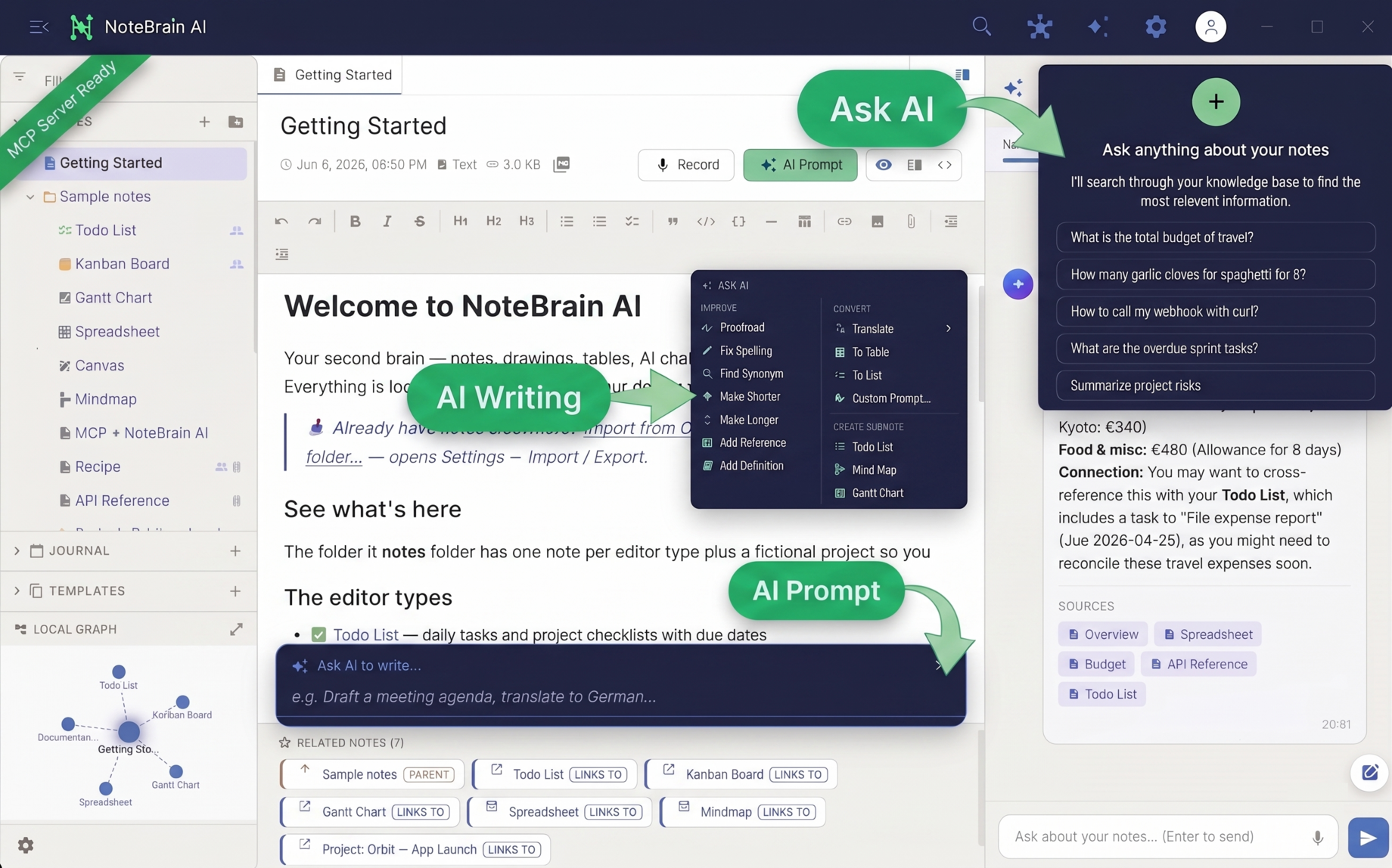
The actual app: notes, many advanced editors, knowledge graph and AI in one window.
AI that knows your notes
Powered by RAG to find the right context.
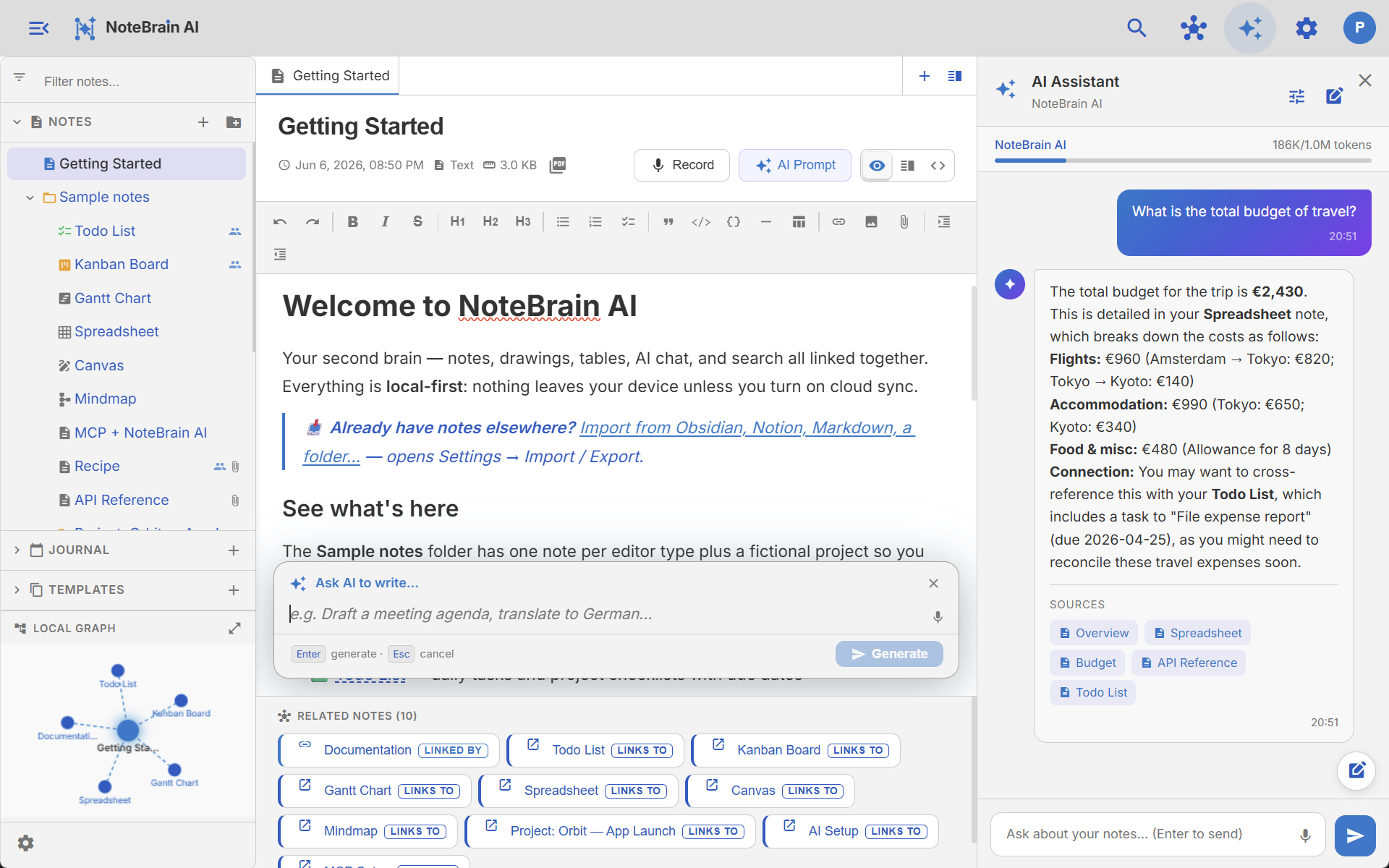
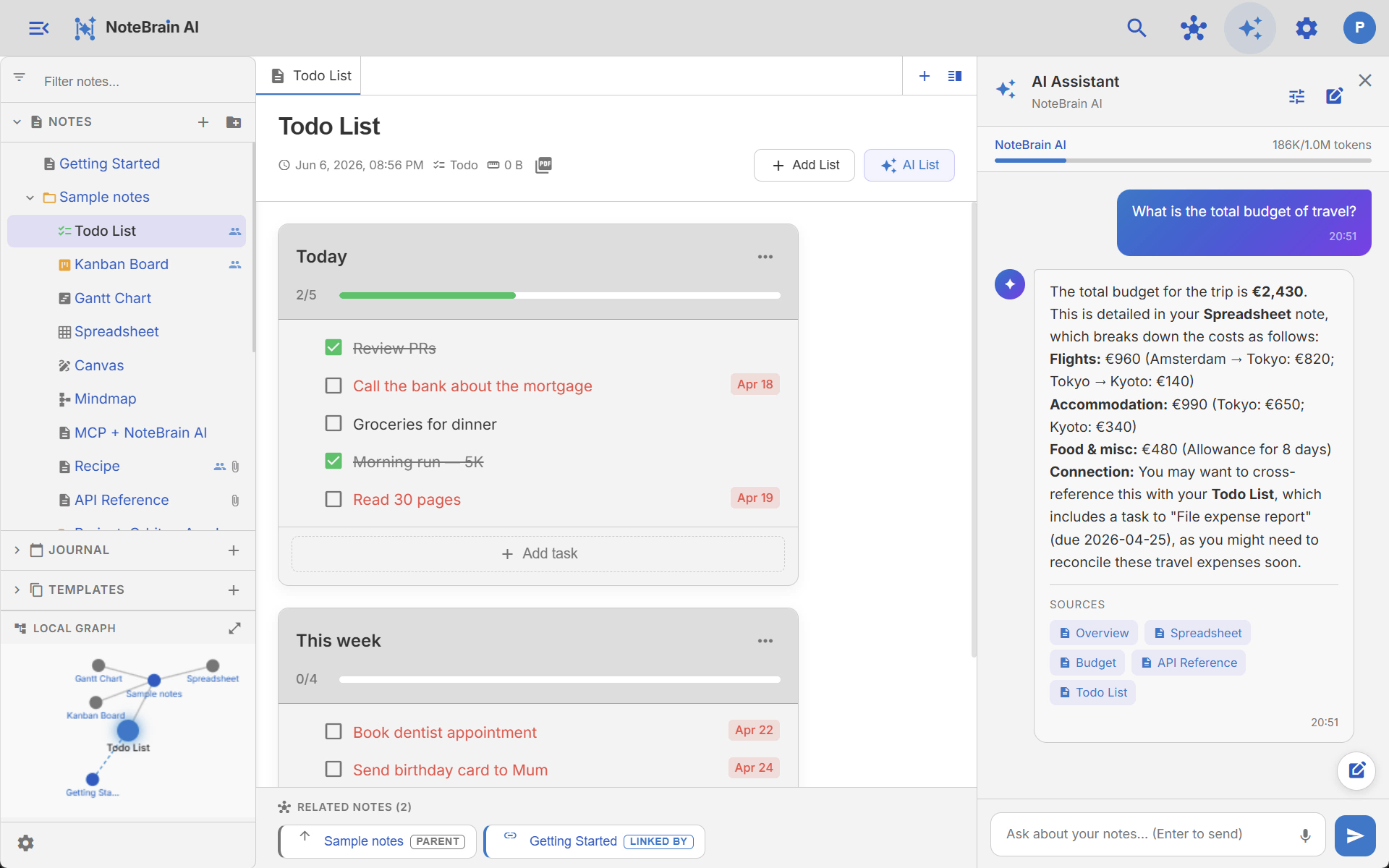
Ask a question, get an answer from your notes.
You agreed to ship the beta on March 15 and v1.0 on April 22, with a €20k marketing budget for the launch campaign and press tour.
Notes powered by AI
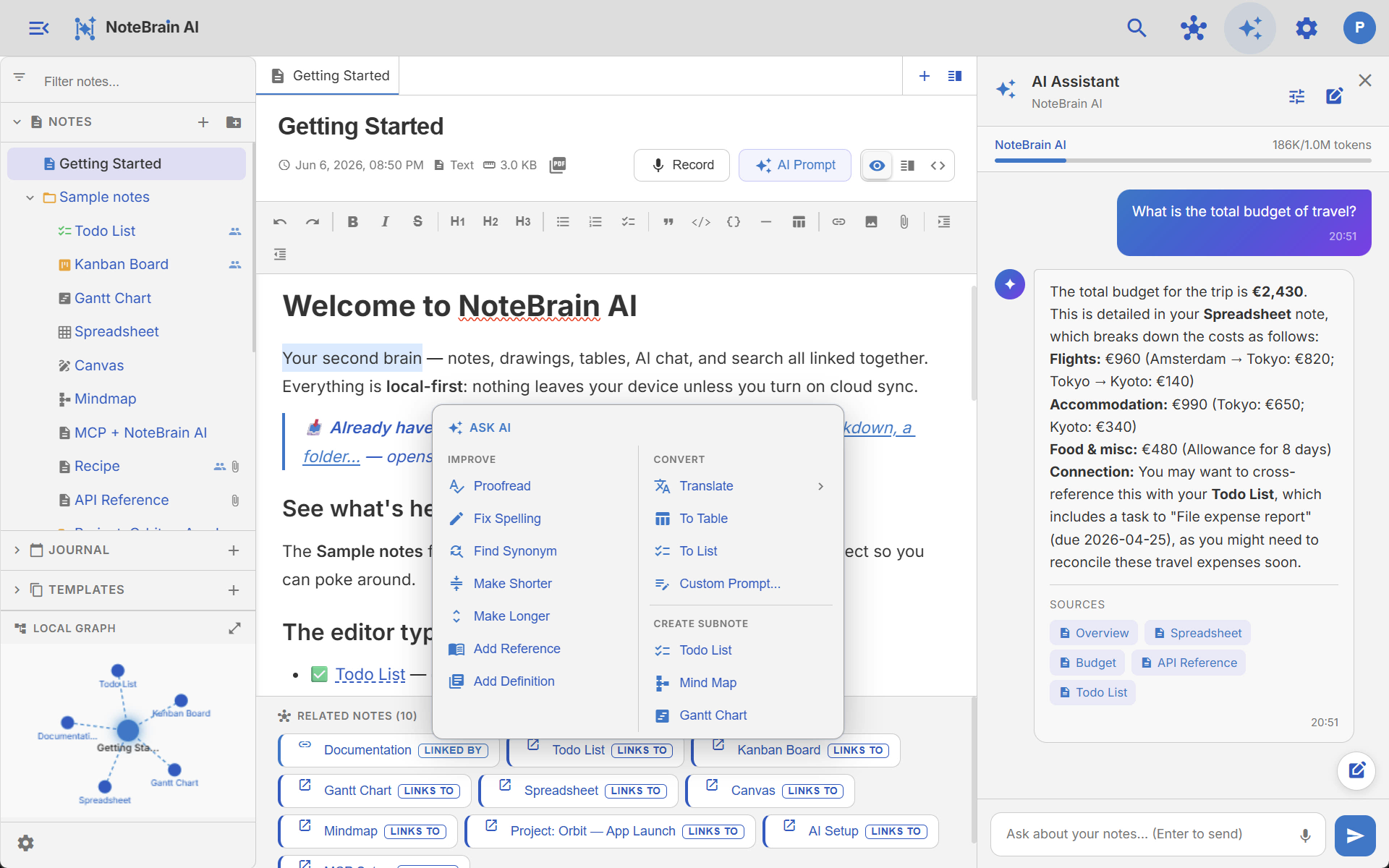
Select any text in your notes, then ask AI to fix grammar, rewrite, translate, turn into a list, or generate something new from a prompt. Right inside the editor, with one click.
Your notes, inside your AI agents
Connect your AI agent to NoteBrain AI over MCP — it reads, searches and writes your notes directly. Ask in your terminal, watch the note appear in your second brain.
> Make me a short intro course on photosynthesis — a folder of notes, and draw the process as an SVG diagram in one of the notes
bolt notebrain-ai · organize “Photosynthesis 101”
bolt notebrain-ai · create_note ×4
check_circle Created folder “Photosynthesis 101” — 4 notes incl. SVG diagram
NoteBrain AI
bolt Created via MCP
- folder_open Photosynthesis 101
- description Introduction
- account_tree How It Works diagram
- description Light & Dark Reactions
- description Key Terms
How It Works
Plants turn sunlight, water and carbon dioxide into glucose — their food — releasing oxygen as a byproduct. Chlorophyll in the leaves captures the light that powers the whole reaction.
Many editors. One app.
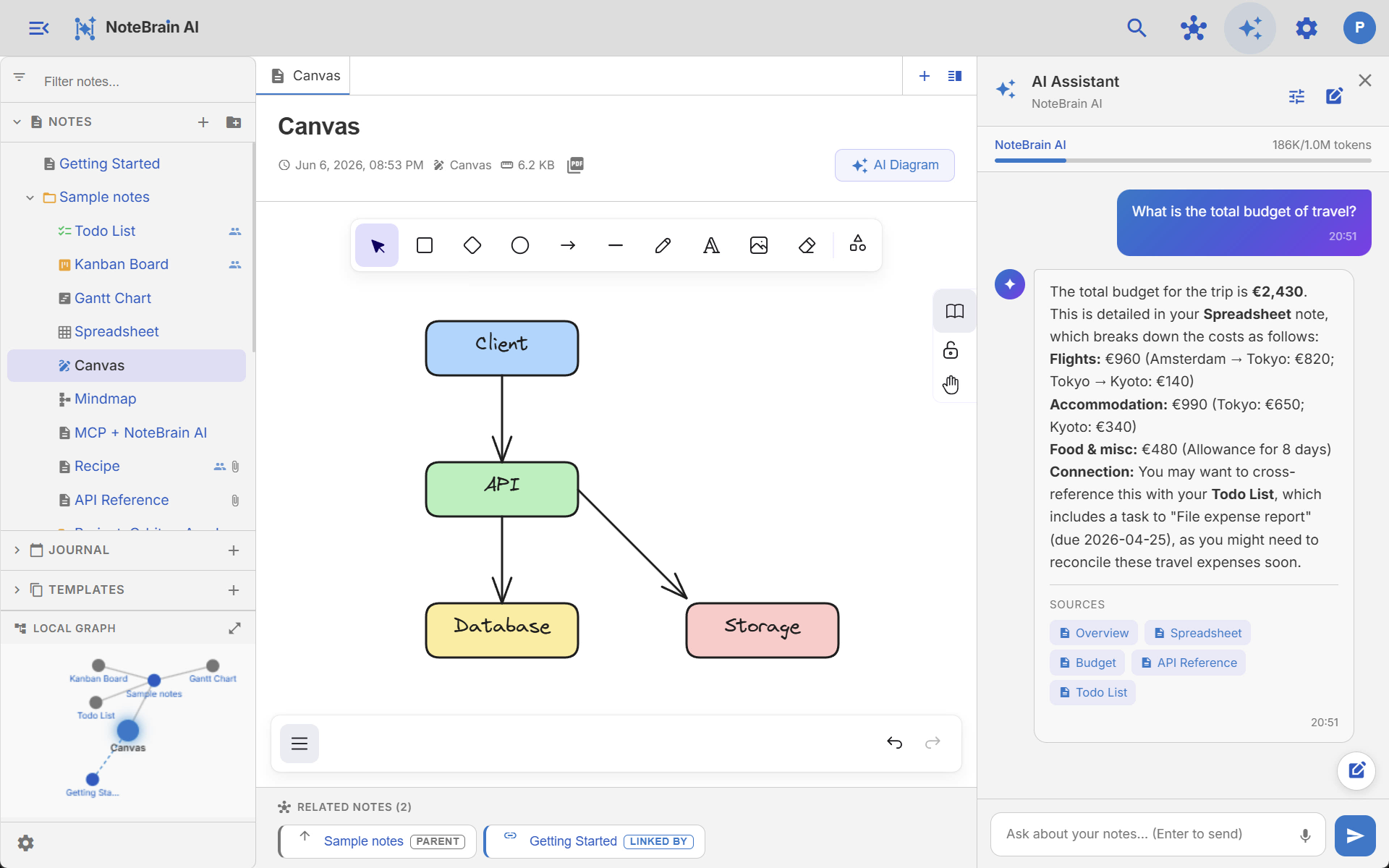
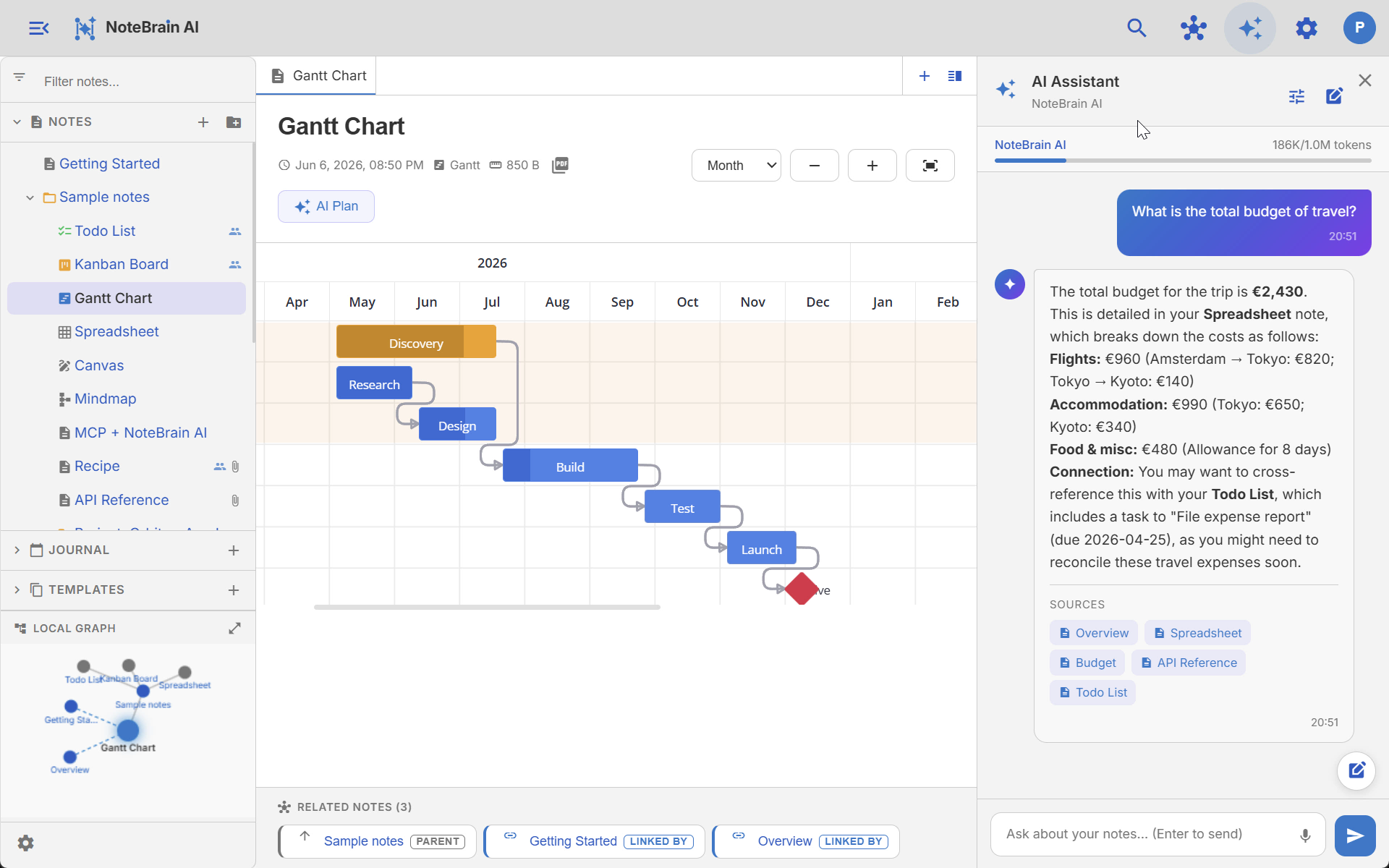
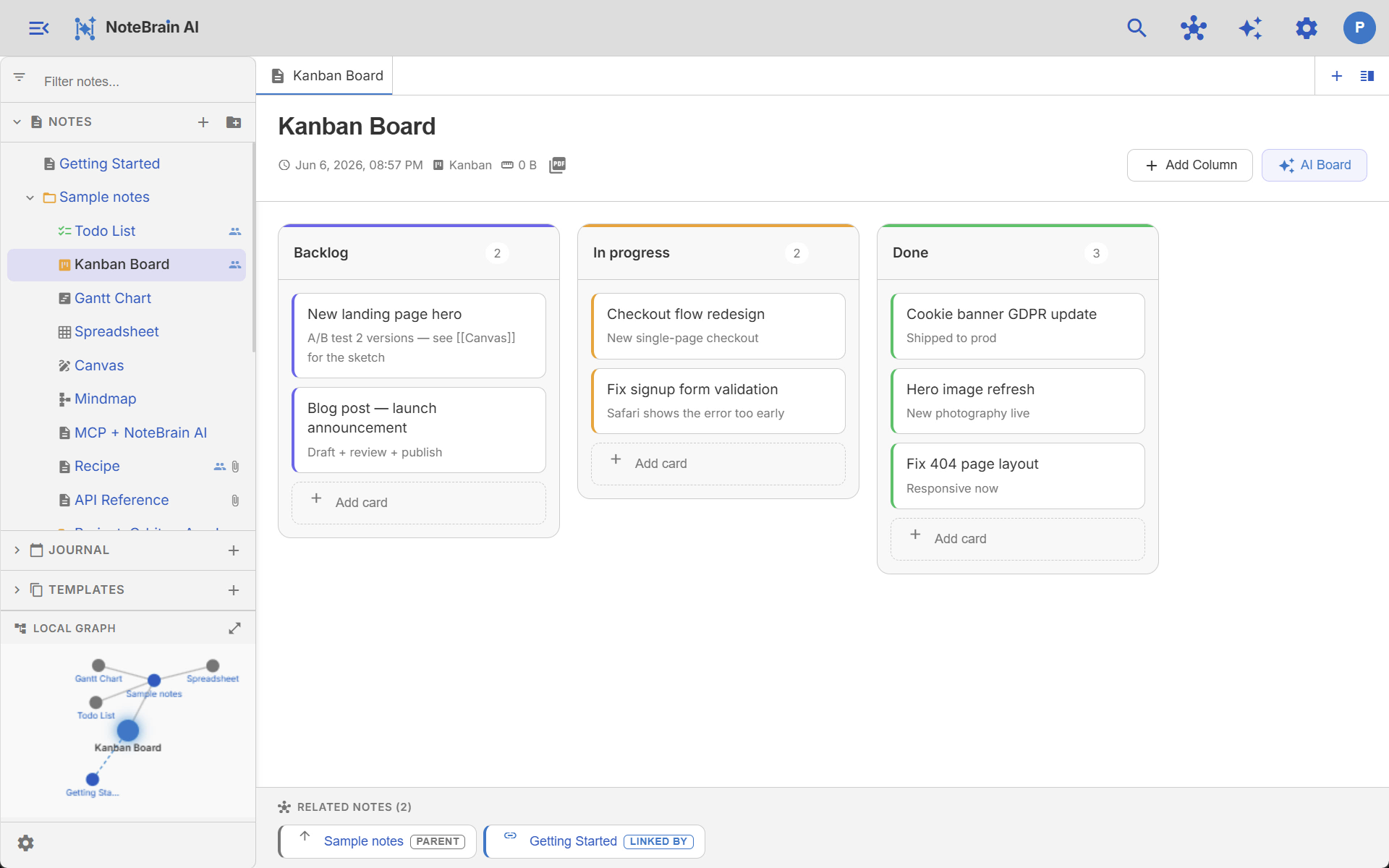
Don’t glue together five tools. Text, todo, kanban, table, gantt, mind map, canvas - all in NoteBrain, all linked together. Plus voice memos with live transcription.
Project Orbit - Launch plan
A complete plan to launch the next version of Orbit. See also Kanban Board for the live board.
Goals
- Ship beta on March 15
- Reach 500 signups in week one
- Grow mailing list to 5k subscribers
# Project Orbit - Launch plan

A complete plan to launch the next version of **Orbit**. See also [[Kanban Board]] for the live board.

## Goals
- Ship beta on *March 15*
- Reach 500 signups in week one
- Grow mailing list to 5k subscribers
| Item | Category | Cost | Note |
|---|---|---|---|
| Rent | Housing | €1,200 | Direct debit |
| Groceries | Food | €420 | Estimated |
| Transit pass | Travel | €90 | Monthly |
| Gym | Health | €45 | |
| Total | €1,755 |
Linked, like your brain
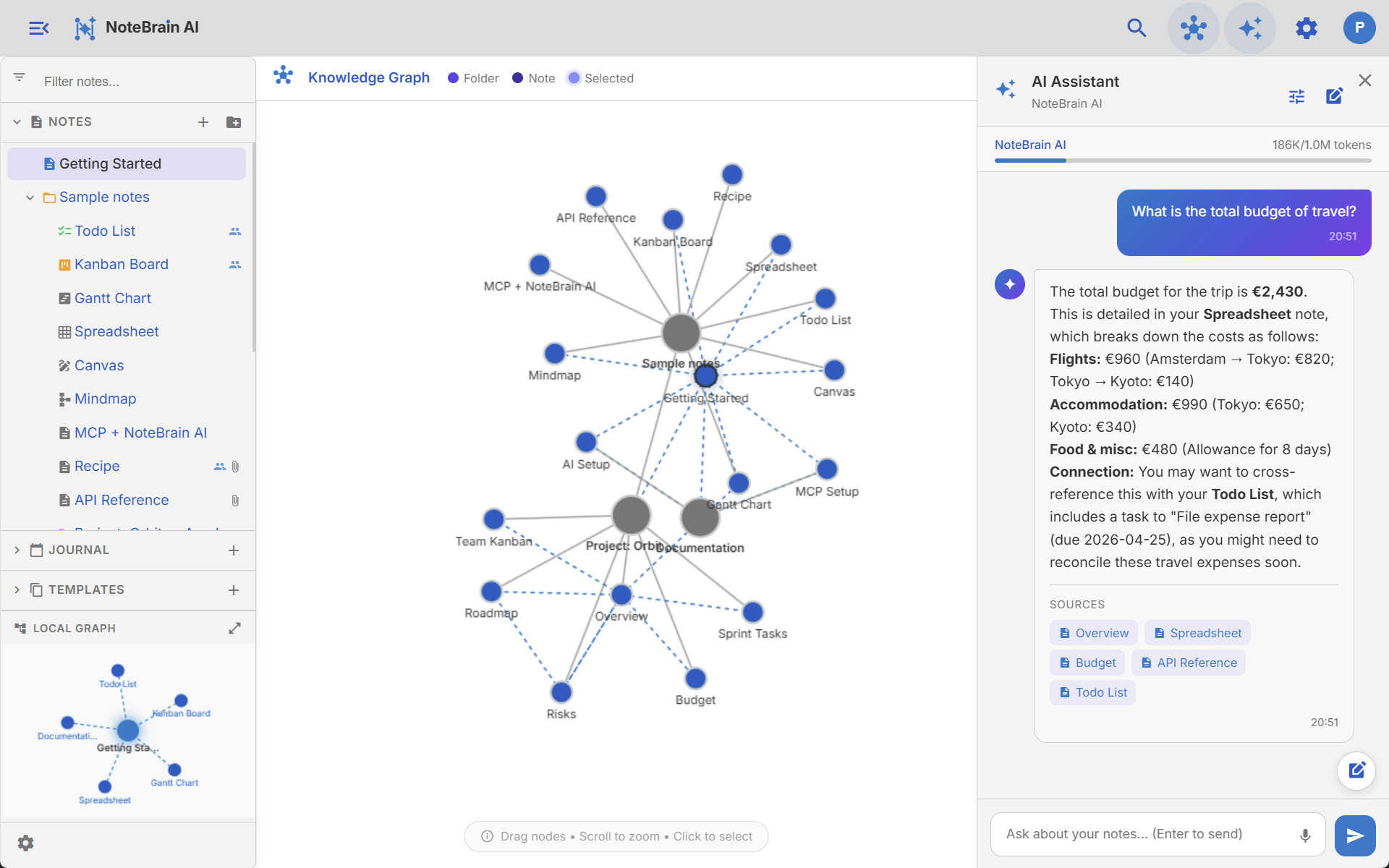
Organize notes into folders and link any note to any other. NoteBrain keeps backlinks in sync and turns it all into a living knowledge graph.
Share, Sync & Collab
Cloud plans keep your notes in sync across every device and let you share any note or folder. Watch Alice and Bob edit the same Getting Started note - live user flags show who’s editing where.
Welcome to NoteBrain AI
Your second brain: notes, drawings, tables. Now with AI chat & search, all linked.
See what’s here
- 📋 Kanban Board: project tracking
- ✅ Todo List: daily tasks
- 📊 Gantt Chart: project planning
- 🎨 Canvas: free drawing & diagrams
Everything is local-first - encrypted in transit and at rest. Bob
Welcome to NoteBrain AI
Your second brain: notes, drawings, tables. Now with AI chat & search, all linked. Alice
See what’s here
- 📋 Kanban Board: project tracking
- ✅ Todo List: daily tasks
- 📊 Gantt Chart: project planning
- 🎨 Canvas: free drawing & diagrams
Everything is local-first - encrypted in transit and at rest.
End-to-End Encrypted so only you can read them
Turn on end-to-end encryption on any Cloud plan. Your notes are encrypted on your device with keys derived from a passphrase only you know - we never see it, and we cannot read your notes.
Encrypted on your device
Titles, content, and attachments are encrypted locally before they ever leave your machine. The server only ever stores ciphertext.
You hold the only key
Keys are derived from your passphrase, with a recovery key as backup. NoteBrain never receives either - lose both and not even we can restore your data.
A deliberate trade-off
Because our servers can't read encrypted notes, sharing and real-time collaboration are disabled while E2E is on. Toggle it off anytime to re-enable them.
Prefer fully private AI too? Use Ollama or your own API keys - your notes never touch our servers. Read how encryption works →
Pick what fits you
Same app, two setups. Both free to start.
Cloud
Everything free — plus sync, collaboration & managed AI
- All advanced editors, graph view & attachments
- Bring your own AI keys (GPT, Gemini, Claude) or free Ollama
- Import / export (Markdown, Obsidian, ZIP)
- Cloud plans add
- Cross-device sync, cloud storage & backups
- Real-time collaboration & sharing
- NoteBrain AI — managed, no API key needed
- Hosted MCP NoteBrain AI server
Desktop
Full power, total privacy
- Notes as files on your disk
- Ollama: free, local, private AI
- NoteBrain AI or your own keys (GPT, Gemini, Claude)
- Local MCP NoteBrain AI server (token-secured)
See it in the real app
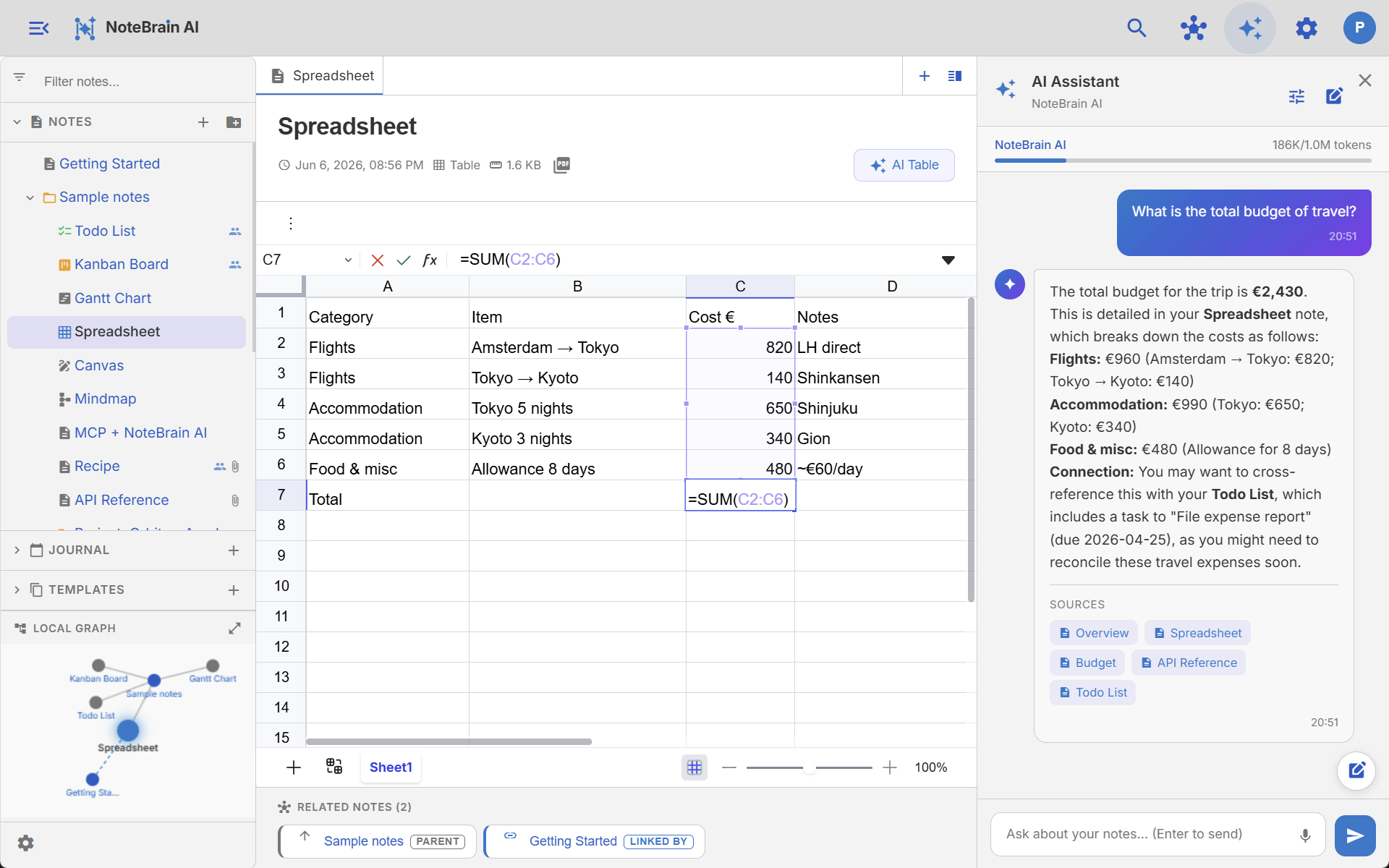
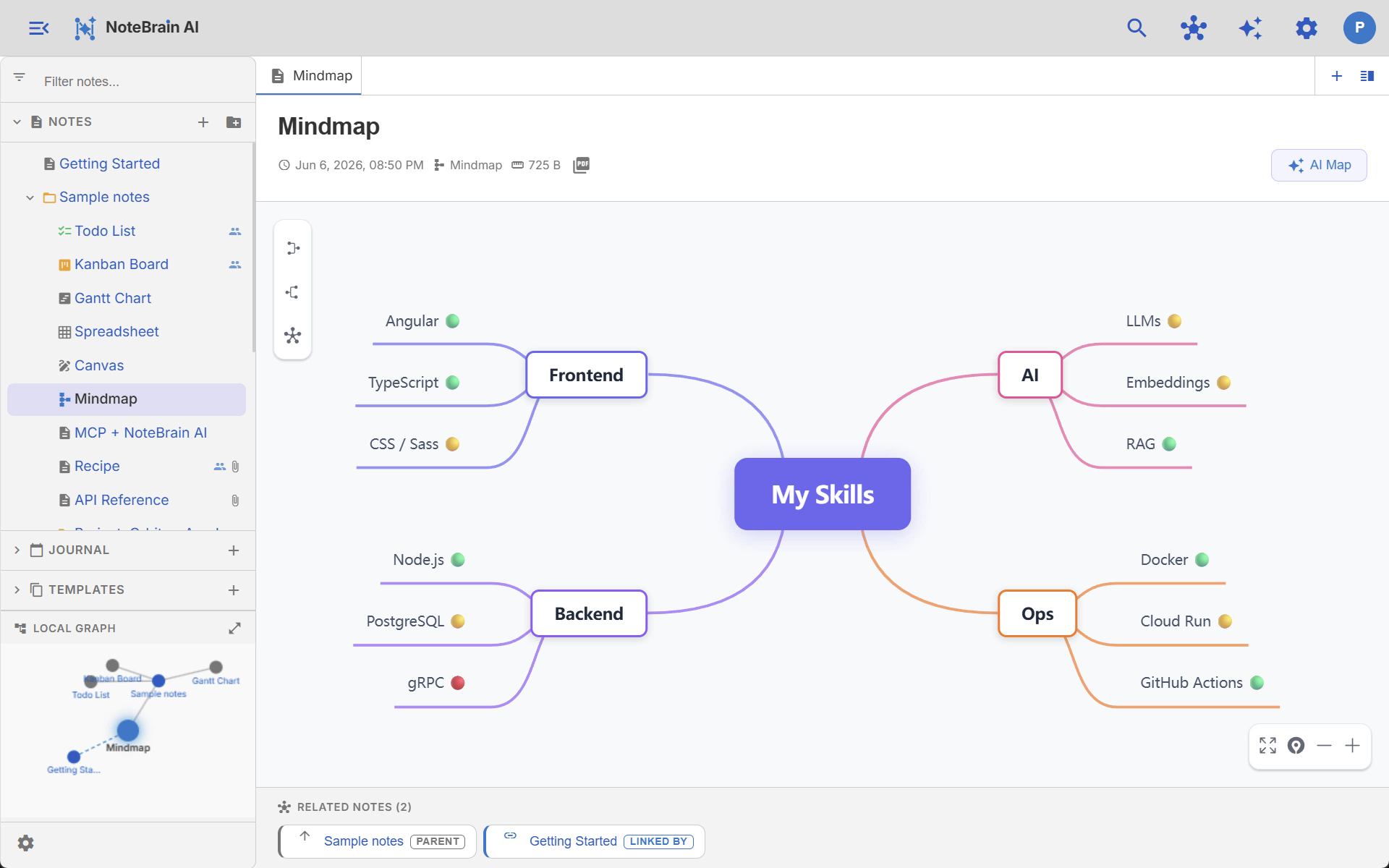
Real screenshots: the knowledge graph, AI answers with cited sources, and spreadsheets.
How NoteBrain compares
vs. Notion
Notion is fast and pretty, but lives in the cloud. NoteBrain keeps your notes on your machine, runs AI locally, and is free forever.
Notion alternative →vs. Obsidian
Obsidian’s vault is great, but Sync is a paid addon and there’s no live co-editing. NoteBrain bundles AI, many advanced editors, sync, sharing, and live user flags, no addons.
Obsidian alternative →vs. Trilium
Trilium needs Docker for multi-device sync and is single-user only. NoteBrain syncs across devices, shares notes with anyone, and shows live user flags, no server to host.
Trilium alternative →For share, sync & collab
Sync across devices, share any note or folder, and see who’s editing where with live user flags. Built-in on Cloud plans, no addon, no Docker.
See it in action →For privacy & GDPR
On desktop, notes are plain files on your disk; on web, they stay in your browser’s IndexedDB. No telemetry, no lock-in, GDPR-friendly. Optional cloud sync is opt-in.
Local-first notes →For local AI + RAG
Hook NoteBrain to a local Ollama model. Hybrid (FTS + vector) RAG answers questions from your own notes - offline, free.
Ollama + RAG →Simple pricing
The app is free. Pay only for managed cloud services.
Starter
$3
per month
- Desktop app & Web app
- 1M NoteBrain AI tokens/month
- All advanced editors
Pro
$8
per month
- Desktop app & Web app
- 5M NoteBrain AI tokens/month
- Pro model
Business
$15
per month
- Desktop app & Web app
- 10M NoteBrain AI tokens/month
- Pro model
Starter
$4
per month
- Everything in AI Starter
- Cross-device sync
- 2 GB cloud storage
- Hosted MCP NoteBrain AI server
- Optional end-to-end encryption
Pro
$10
per month
- Everything in AI Pro
- Cross-device sync
- 10 GB cloud storage
- Hosted MCP NoteBrain AI server
- Optional end-to-end encryption
Business
$20
per month
- Everything in AI Business
- Cross-device sync
- 25 GB cloud storage
- Hosted MCP NoteBrain AI server
- Optional end-to-end encryption
Ollama and your own API keys (Gemini, OpenAI, Claude) are always free on all plans.
End-to-end encryption is optional and zero-knowledge: only you hold the keys. Enabling it disables note sharing and real-time collaboration.
Ready in 2 seconds
No account. No credit card. Just open and write.